以下为引用的内容:
1. Open Windows Explorer and click Organize
2. Select Folder and Search Options and navigate to the View tab.
3. Select Show hidden files, folders and drivers and uncheck Hide protected operating system files (Recommended). Click Yes, if prompted for confirmation.
4. Click OK and now browse to the folder: WindowsGlobalizationMCT
5. There are five folders here with the name with format MCT-XX (where XX is AU, CA, GB, US, or ZA) which represents globalization settings for each region. Go into the folder that you want to activate its theme.
Note that AU, CA and ZA regions have the same themes.
6. Open the Theme folder inside the selected region folder.
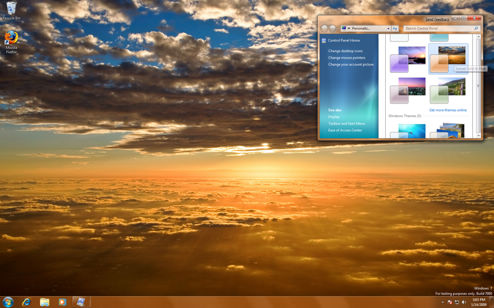
7. Double click on the XX.theme file to apply the theme to the Windows 7 desktop system. Once a theme is executed and activated, the theme will be available and saved into Personalization options, so that user can select this theme directly from the personalization settings.
8. Now to go to Folder Options to reverse the first 5 steps to hide the hidden and protected system files and folders again.
|